I’m sitting on a Toronto bus going to work, reading the news on Research In Motion’s LTE PlayBook tablet.
The express bus is cruising along one of the city’s main east-west streets and the tablet has no trouble streaming jitter-free video from BBC News and other sites.
According to Speedtest.net I’m getting 6.9 Mbps down and a stunning 48 Mpbs up in a moving vehicle over the Telus network – although to be fair it could be because Telus was the last of the big three carriers to launch its LTE service and therefore probably has the fewest LTE subscribers here.
At other times on the same route I got 8 Mbps down and 25 Mbps up.
This is what life can be like with RIM’s fastest baby (That’s right: None of its BlackBerry handsets are LTE-enabled.)
That is, what like can be like under ideal conditions. Like any other wireless data service, LTE is affected by the number of people on the network, and Speedtest.net may not be the most accurate way of measuring speed.
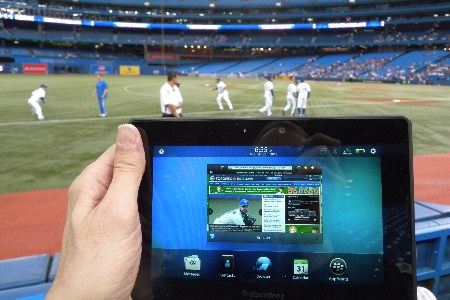
In my tests around the city I got between 28.8 and 10.5 Mbps down in the downtown underground PATH pedestrian walkway. At a Toronto Blue Jays game in a stadium owned by arch rival Rogers Communications, it was around 5.5 Mbps down at field level, about 9.5 Mbps higher up another night in an executive box.
Still, you can expect a significant bump in speed over what you’d get over an HSPA network. (The LTE PlayBook defaults to HSPA if it can’t find the faster network).
Whether you’d see a big difference in performance depends on what you’re doing.
The 7-in LTE PlayBook, which comes only with 32 GB of storage, is virtually identical to its Wi-Fi brother in size and included applications, except for a slightly faster processor. I didn’t notice a big difference in performance, particularly when booting up. It still takes about 2 minutes and 30 seconds to get to the desktop, the same as my Wi-Fi version.
PlayBook product manager Sean Coghlan told me Thursday the boot time will be addressed when the next version of the operating system, called BlackBerry 10, comes out early next year.
Another thing, he said, is the inability of the tablet to update the OS over LTE when initially configured. Think you can immediately take advantage of that anywhere connectivity when you take it out of the store? Nope. It needs a Wi-Fi connection for configuration, and you can’t use the tablet until it’s been updated.
Which means either you ask the carrier where you bought it to do the initial set-up (and you’ll have to make up a password and username for your RIM account to get to the 26 MB update) or hunt for a hotspot.
Once you get your LTE PlayBook up and running you’ll still need Wi-Fi to use the video chat, not LTE. Another one of those things to be fixed in BB10, Coghlan said.
Aside from the freedom to have connectivity almost anywhere, there isn’t much difference between a Wi-Fi and an LTE PlayBook. The screen is bright and sharp, the updated OS comes with an email and calendar client. The BlackBerry App Store still isn’t the size of Apple’s or Google’s.
RELATED CONTENT
I did notice that in a side by side comparison at my apartment, YouTube video from the same Web site loaded faster on the Wi-Fi tablet over my 802.1n network (using a Cisco Linksys E2700 router on a DSL connection) compared to the LTE version. But it wasn’t fatal.
I also found underside of the LTE version could get quite warm. I’m not sure I’d put it in an enclosed case.
Telus sells the LTE Playbook for $549 with no annual contract. Bell Mobility and Rogers Communications sell the LTE PlayBook for $350 if you buy a three-year data plan, or significantly more without a plan.
By the way, if you don’t need anywhere connectivity, RIM is working through its inventory of Wi-Fi PlayBooks at reduced prices. Staples has the 16 GB version for $99, and the 32 GB model for $118.
Coghlan said RIM is still backing the tablet, but wants to get rid of stock for the next version.